From Clicks to Customers: How Superior UX Design Skyrockets Conversions in Pakistan
Have you ever landed on a website, ready to buy something, only to leave moments later out of sheer frustration? Maybe the page took forever to load, you couldn’t find the search bar, or the checkout process asked for your life story. We’ve all been there. That feeling of annoyance is the hallmark of poor User Experience (UX) design, and for businesses, it’s a silent killer of conversions.
In Pakistan’s rapidly growing digital marketplace, competition is fierce. Simply having an online presence is no longer enough. To stand out and capture your audience, you need to provide an experience that is seamless, intuitive, and enjoyable. This is where UX design moves from a “nice-to-have” technical feature to a core business strategy. It’s the invisible hand that guides a curious visitor and transforms them into a loyal customer.
This article will explore the powerful connection between good UX design and higher conversion rates. We’ll break down exactly how a user-centric approach can build trust, reduce friction, and ultimately drive the actions that matter most to your business growth.
What is User Experience (UX) Design, Really?
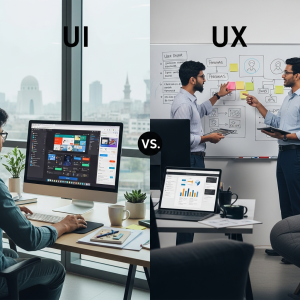
Before we dive into its impact on conversions, it’s crucial to understand what UX design truly is. Many people mistakenly use it interchangeably with User Interface (UI) design, but they are fundamentally different disciplines that work together.
Beyond Pretty Pictures: UX vs. UI
Think of it like building a house. The User Interface (UI) is the paint on the walls, the style of the furniture, and the colour of the curtains. It’s the visual appeal—the look and feel. It’s incredibly important for making a great first impression.
User Experience (UX), on the other hand, is the architectural blueprint. It’s about the flow of the house. Is the kitchen close to the dining room? Can you easily navigate from the bedroom to the bathroom in the dark? Does the foundation feel solid? UX is the underlying structure and logic that makes the house functional, efficient, and a pleasure to live in. A beautiful house that is impossible to navigate is ultimately a failure. Similarly, a stunning website that is confusing to use will fail to convert.
The Core Principles of Good UX
Great UX design isn’t about guesswork; it’s a strategic process rooted in understanding user behaviour. It focuses on several key principles:
- Usefulness: Does your website or app solve a genuine problem for your users?
- Usability: Is it easy to navigate and accomplish tasks?
- Accessibility: Can people with different abilities use it effectively?
- Desirability: Does the design create a positive emotional connection?
- Credibility: Do users trust your brand and the information you provide?
When these elements are in harmony, you create an experience that feels effortless and trustworthy, paving the way for conversions.
The Direct Link: How Great UX Boosts Conversions
A conversion is any desired action a user takes on your site. For an e-commerce store, it’s a sale. For a B2B company, it might be a contact form submission. For a blogger, it could be a newsletter signup. Here’s how investing in UX directly influences these critical business goals.
1. It Builds Trust and Credibility
A professional, polished, and error-free website instantly communicates trustworthiness. Users are far more likely to share their personal information or make a payment on a site that looks and feels legitimate. Inconsistent branding, broken links, or a confusing layout can create suspicion and cause potential customers to abandon their journey. A solid UX design acts as a digital handshake, assuring your visitors that they are in a safe and professional environment.
2. It Simplifies the User Journey
The golden rule of conversions is to make it as easy as possible for the user to do what you want them to do. Good UX is about removing unnecessary steps and obstacles. This means intuitive navigation, clear calls-to-action (CTAs), and a logical flow from one page to the next. If a user has to click six times to find a product that should be accessible in two, you’re creating friction. A streamlined journey respects the user’s time and guides them smoothly towards the conversion point.
3. It Reduces Friction and Frustration
Every point of friction is a potential exit point for a user. Common sources of frustration include:
- Slow Page Load Speeds: In our fast-paced world, users expect instant results. A site that takes more than a few seconds to load will see a significant drop-off.
- Confusing Forms: Asking for too much information or having poorly designed forms can deter users from signing up or checking out.
- Forced Account Creation: Forcing users to create an account before a purchase is a major conversion killer. Offering a “guest checkout” option is a classic UX win.
By identifying and eliminating these pain points through user research and testing, you create a smoother path to conversion.
4. It Increases Engagement and Dwell Time
When a website is enjoyable to use, people stick around longer. They explore more pages, read more content, and become more invested in your brand. This increased “dwell time” is not only a positive signal to search engines like Google (which can improve your SEO rankings), but it also gives you more opportunities to present your value proposition and guide the user toward a conversion. Engaging content, interactive elements, and clear information architecture all contribute to a “stickier” user experience.
5. It’s Optimized for Mobile Users in Pakistan
In Pakistan, the vast majority of internet users access the web via their smartphones. A website that is not optimized for mobile is effectively closing its doors to a huge portion of the market. Good UX design prioritizes a “mobile-first” approach. This means designing the experience for the smallest screen first and then scaling up. It ensures that buttons are easy to tap, text is readable without zooming, and the entire site is responsive and functional on any device. A seamless mobile experience is no longer optional; it’s essential for converting the modern Pakistani consumer.
A Practical Example: The E-commerce Checkout Process
Let’s illustrate the power of UX with a common scenario: the online checkout.
A Poor UX Checkout:
- The process is spread across five or six different pages.
- Shipping costs are a surprise, only revealed at the very last step.
- The user is forced to create an account to proceed.
- The form fields are not clearly labelled, and error messages are unhelpful (“Error 402”).
- Payment options are limited, excluding popular local methods like JazzCash or EasyPaisa.
This experience is frustrating and likely to result in an abandoned cart.
A Good UX Checkout:
- A clear progress bar shows the user exactly where they are in the process (e.g., Shipping > Payment > Review).
- A “guest checkout” option is prominently displayed.
- Shipping costs are calculated and shown upfront.
- Form fields use auto-fill and provide clear, helpful error messages (“Please enter a valid phone number”).
- Multiple payment options, including local mobile wallets and Cash on Delivery (COD), are available.
This second experience is smooth, transparent, and user-friendly, dramatically increasing the likelihood of a completed purchase.
Investing in UX: A Smart Decision for Your Business
In the bustling digital landscape of Pakistan, your website or app is often the first and most important interaction a customer has with your brand. Viewing UX design not as an expense but as a crucial investment in your business’s future is the key to sustainable growth. A positive user experience leads to higher conversions, increased customer loyalty, and a stronger brand reputation. It’s how you turn casual browsers into dedicated advocates for your business.
By putting your user at the center of your digital strategy, you’re not just building a better website—you’re building a better business.
Ready to transform your user experience and unlock your conversion potential? At Bloom & Brew, we specialize in crafting human-centered digital strategies that drive real results. Let’s connect and discuss how we can help your business bloom online.
Frequently Asked Questions (FAQ)
1. What is the main difference between UX and UI design?
The simplest distinction is that UI (User Interface) is about how things look, while UX (User Experience) is about how things work and feel. UI focuses on the visual elements like colours, typography, and button styles. UX is the broader strategic process of making a product useful, usable, and enjoyable, focusing on the user’s journey, information architecture, and overall interaction.
2. How can I measure the return on investment (ROI) of UX design?
The ROI of UX can be measured through various key performance indicators (KPIs). Look for an increase in your conversion rate, a decrease in your cart abandonment rate, a higher average order value, and improved customer satisfaction scores. You can also track metrics like reduced customer support tickets and increased user dwell time on your site.
3. Is UX design only important for large companies and e-commerce sites?
Not at all. UX is crucial for any business with a digital presence, regardless of size. Whether you’re a small service-based business looking for leads, a non-profit seeking donations, or a blogger trying to grow your audience, a good user experience will help you achieve your goals more effectively by making it easier for users to take the actions you want them to take.
4. How long does it take to see results from improving UX?
The timeline can vary. Some small, high-impact changes (like simplifying a checkout form or improving site speed) can show positive results within days or weeks. Larger-scale redesigns or strategic shifts may take a few months to fully implement and measure. The key is to adopt a process of continuous improvement, using data and user feedback to make iterative changes over time.
5. What is the first step I can take to improve my website’s UX?
A great first step is to gather feedback. Ask a few people who are not familiar with your website to perform a simple task (e.g., “Find our contact information” or “Add a product to the cart”). Watch them navigate the site without offering help. Their struggles will quickly reveal the most significant pain points and give you a clear, actionable list of areas to improve.